
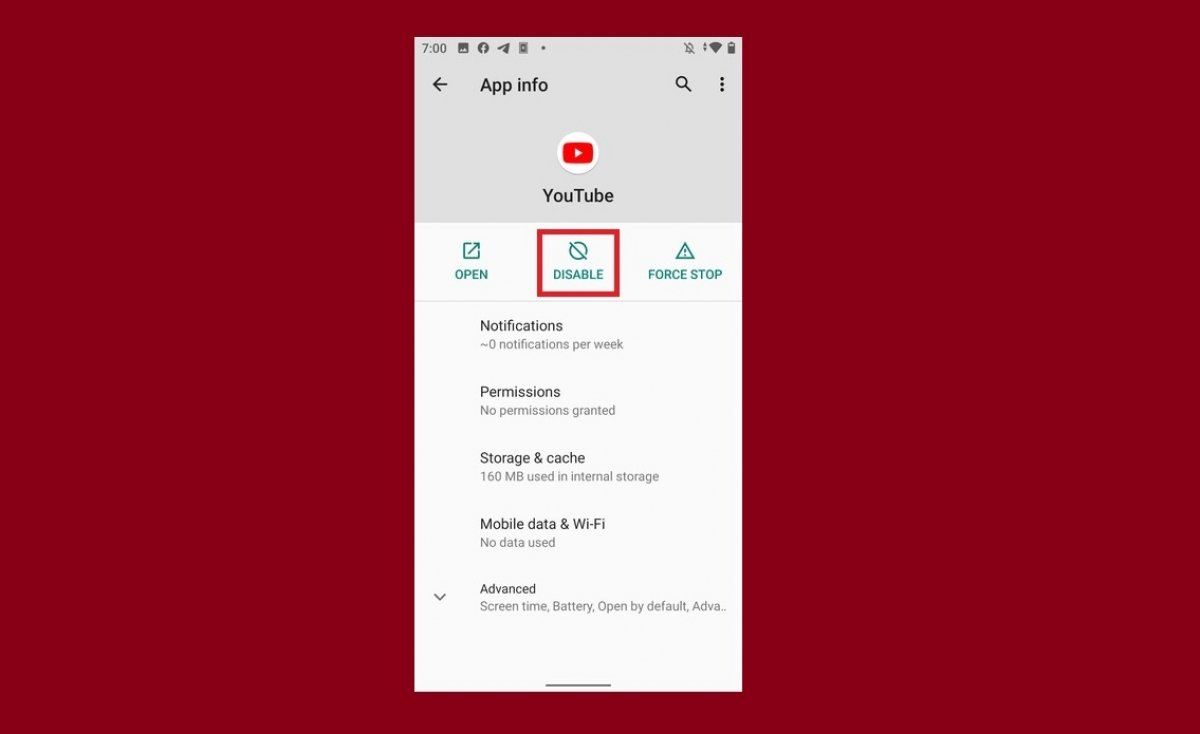

YouTube is an application that comes pre-installed on all Android devices because it belongs to Google. Many of the applications that come by default on our device can be removed completely. However, YouTube is not one of them.
But we must make it clear that we can remove YouTube if we have root access and superuser privileges. Keep in mind that rooting an Android smartphone may cancel the manufacturer's warranty. Therefore, the reality is that, at least officially, it is not possible to uninstall YouTube.
Instead, Android lets you disable applications that cannot be uninstalled. It means to remove it from the application box but not from the internal memory. By disabling an app, we also uninstall all its updates. To disable YouTube, follow these steps.
Tap on the YouTube icon for a long time.
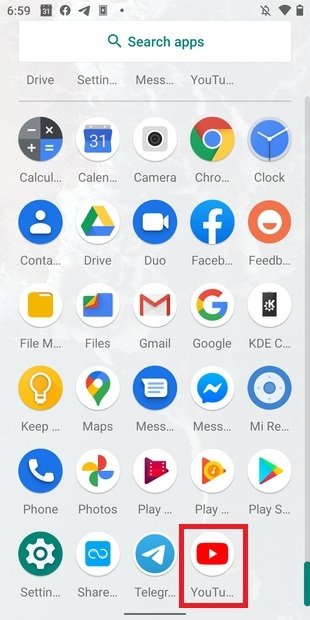 YouTube icon in the application tray
Tap on the application's information icon.
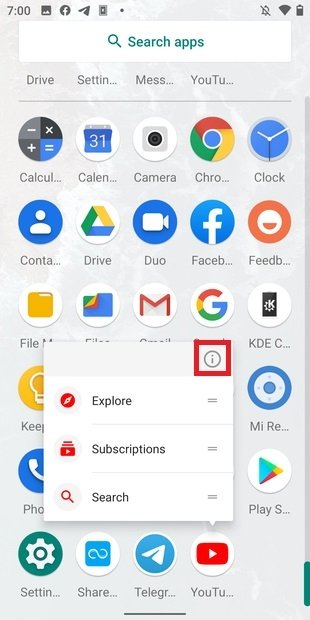 Open App info
Choose the Disable option.
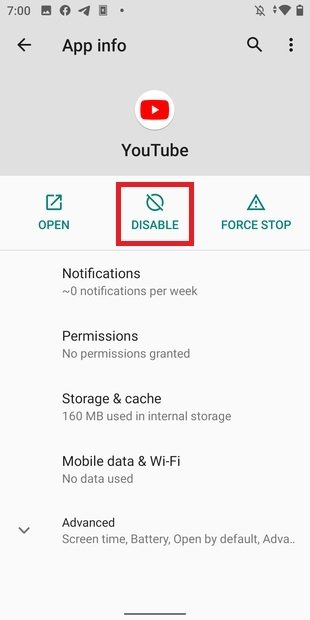 Disable YouTube
In the pop-up notification, confirm the deactivation with Disable app.
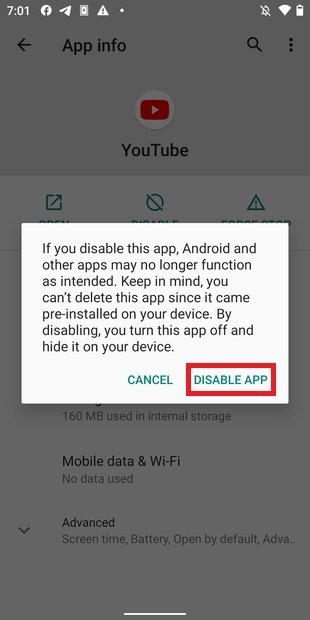 Confirm the disabling
If you look for YouTube on your phone, you will notice that it is no longer there.
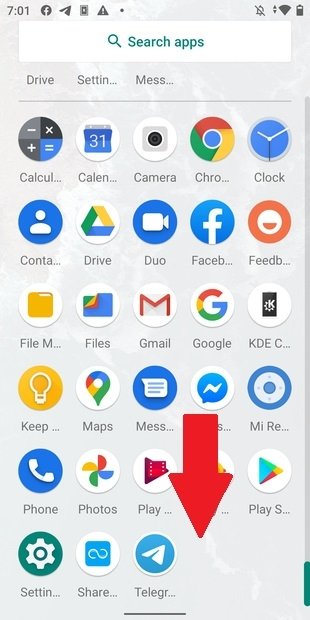 YouTube disabled
Even if it is not visibly present, the application continues to take up space in storage and, in practice, is still installed on our phone. Of course, while it is disabled, we will not receive notifications from YouTube and all links to the service will open in the browser.
If at any time you want to reactivate the app, open your phone's settings.
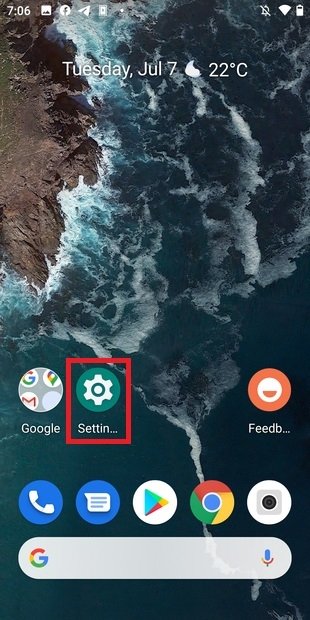 Open Android’s settings
Go toApps & notifications.
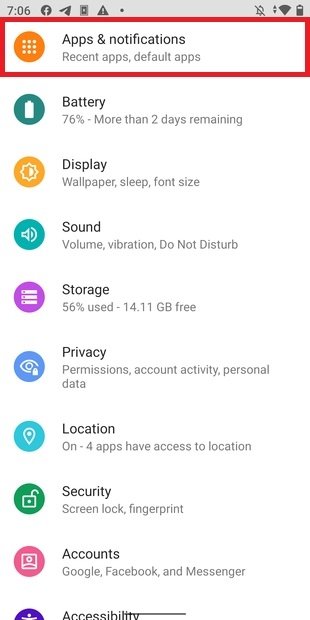 Open applications and notifications
Shows all the applications.
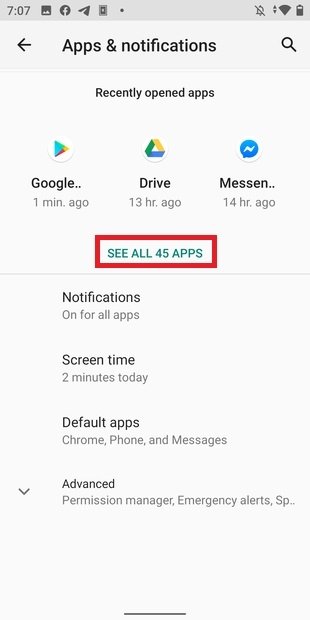 Show all the applications
Search for YouTube in the list and open its file.
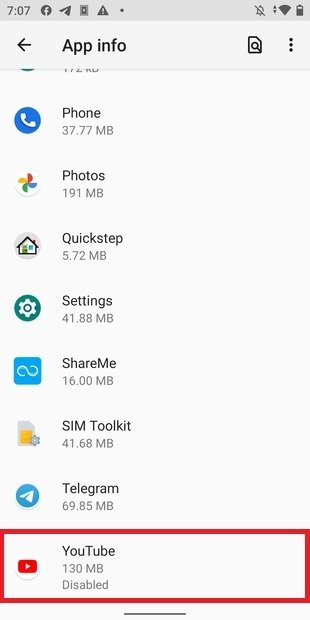 Open YouTube’s datasheet
By tapping on Enable, we will reset the application, receive notifications again, and be able to use it normally.
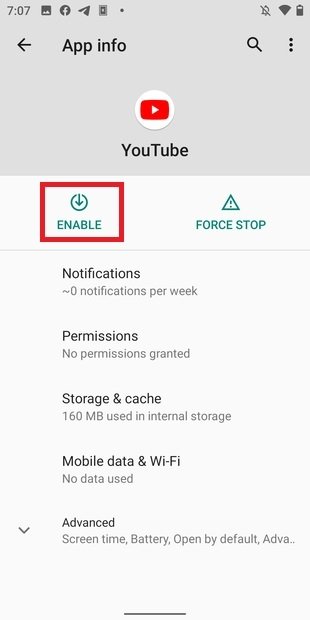 Reactivate the app
This is all you can do on non-rotated phones regarding the YouTube app.
