

To improve productivity and organize the daily browsing tabs chaos, Opera decided to make a bold move with the new Opera One R3. This update focuses on changing a fundamental part of the browsing experience: how we interact with the web. In the following sections, we present our experience after testing its new features, including split screen and AI image generation. Everything you need to know about this new browser is right here.
Opera revolutionizes the browsing experience with AI, split screen, and dynamic themes: learn about all the latest features
Understanding what Opera One R3 has to offer is paramount to getting the most out of it. Most current browsers are stuck in a static structure of separate tabs and windows. Opera, however, is committed to a modular and dynamic workflow. This is not just a cosmetic change, but a significant improvement to the interface designed to allow you to do more without leaving the main window.
We have thoroughly tested this version and can give you a brief overview. We’ve realized that the browser is no longer a web page viewer; now it is a complete work platform. Below, we break down the five key features that make this new browser essential for anyone who works from a computer.
Split screen: multitasking without limits
This is undoubtedly one of the best features added to Opera. With split screen, you can handle four websites simultaneously in one window, without having to resize or jump between tabs.
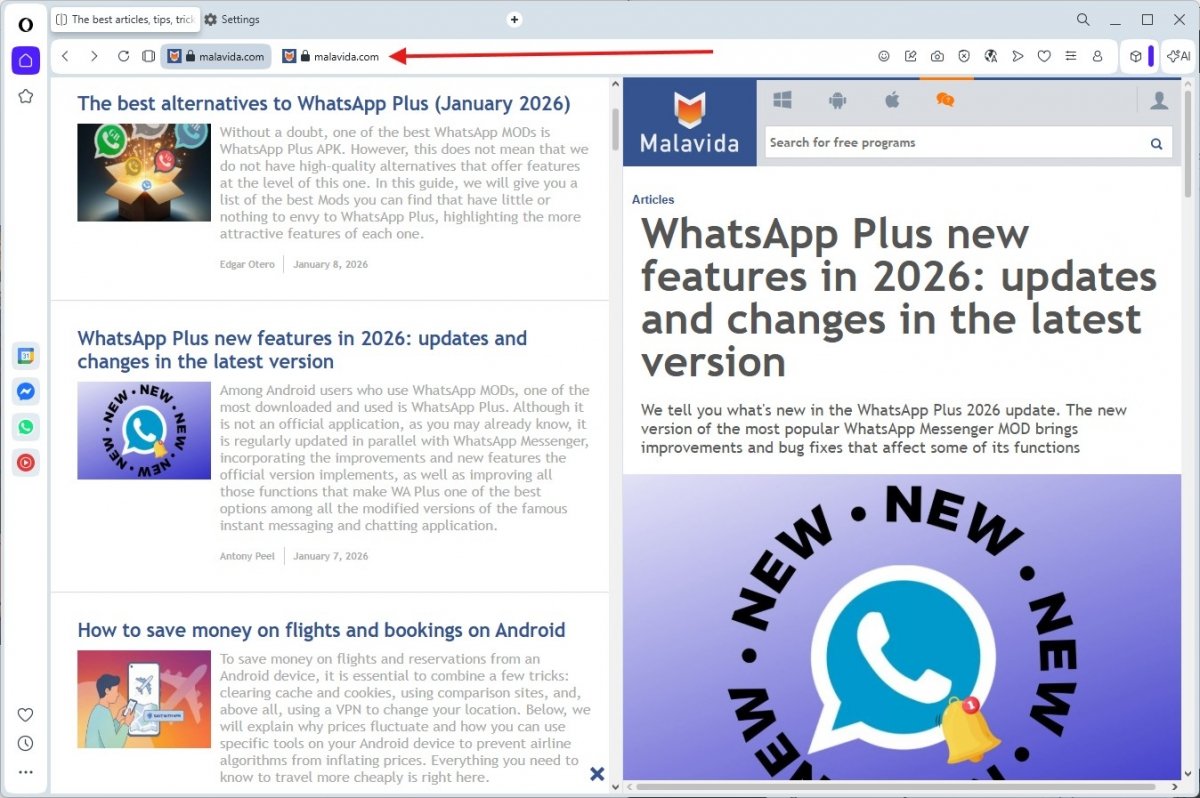 A genius move: one tab, several websites
Using this feature is as simple as it is effective. You can enable the multitasking view by right‑clicking a link and selecting the split screen view from the pop-up menu. You can also drag an existing tab over another tab in the top bar to merge them instantly. The idea is to open two websites side by side as if they were a single page. It's a simple idea, but extremely effective when it comes to productivity, especially when you need to compare documents or read one source while writing in another.
More powerful sidebar with new integrations
Opera’s sidebar has always been its signature feature: a utility hub that rivals keep imitating. In version R3, this sidebar comes to life more than ever with new native integrations that streamline workflow.
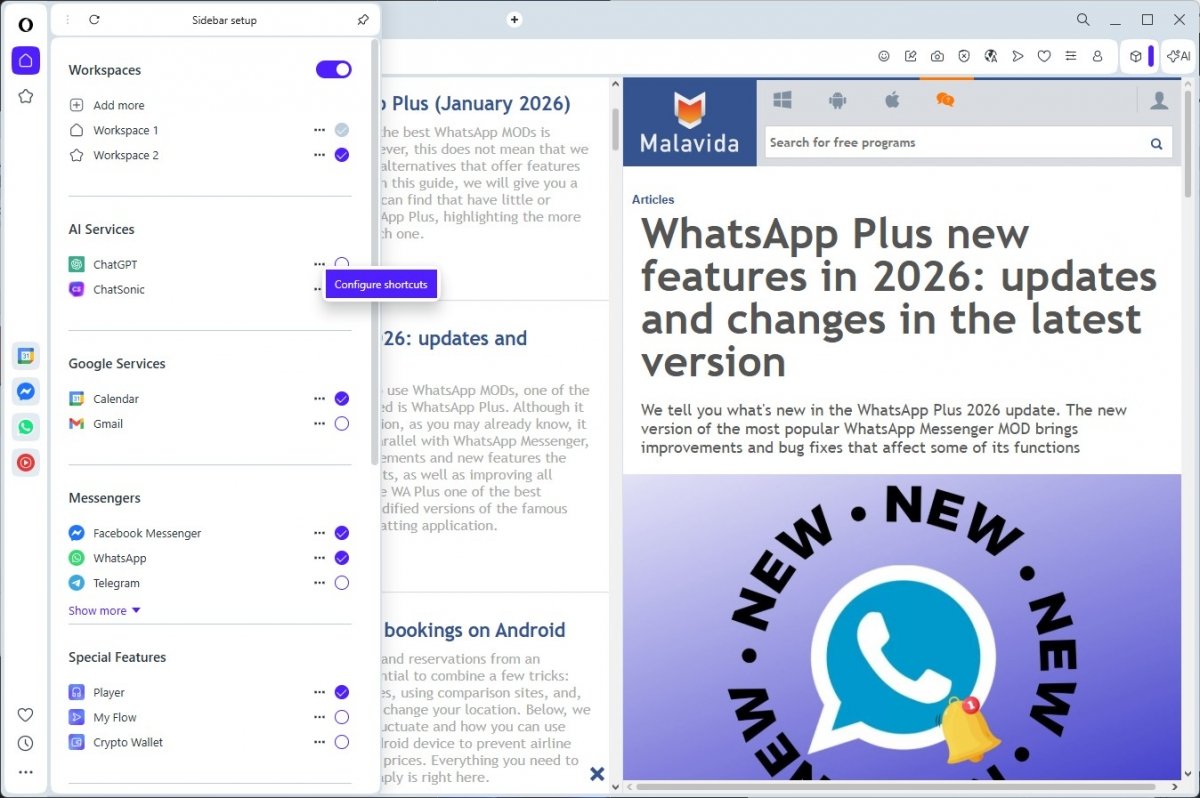 Opera's sidebar is now better than ever
Now, in addition to being able to anchor your messaging services or chatbots such as ChatGPT, the bar is fully compatible with the Google ecosystem. We tried this out by integrating Google Calendar and Gmail into the browser, letting us view our agenda or inbox without stepping away from the page we’re browsing.
Moreover, it is compatible with virtually any social network. The best part is that all sidebar functions can be assigned to a custom keyboard shortcut, making it super easy to jump between different services or tools without the mouse.
New dynamic themes to customize your browser
Customization in browsers used to be limited to changing the color of the top bar or the background image. Opera One R3 takes this a step further with new dynamic themes designed to deliver a complete sensory experience.
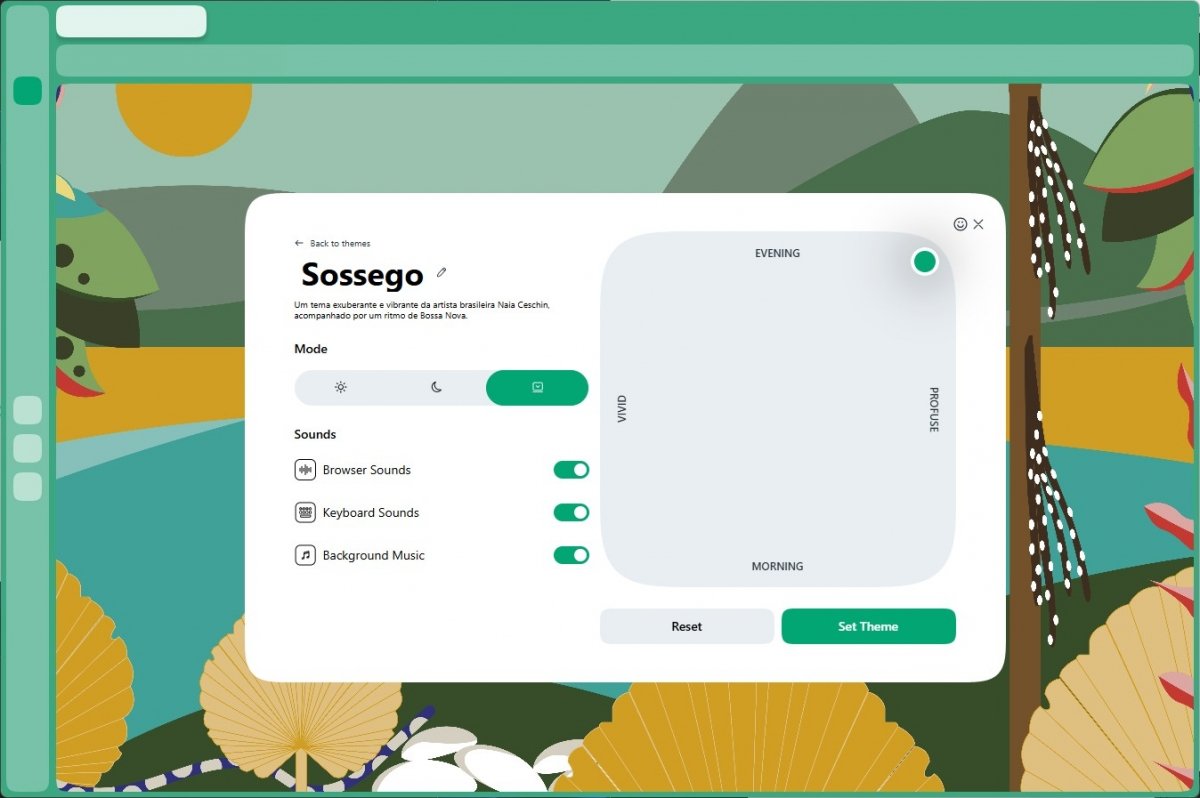 No two Opera Ones are identical because no two users are identical
These new themes are not static; they offer subtle thematic sounds when interacting with the browser, animated backgrounds that react to movement, and customization that can be adjusted according to your mood or the time of day. With this new feature, Opera becomes ultra-customizable, with features never before seen. During our tests, the interface felt alive, visually adapting to reduce eye strain or to motivate us with more vibrant colors depending on the chosen settings.
More advanced contextual AI with image generation
The integrated artificial intelligence has received a major update. Opera's AI bar now allows you to generate images directly from the sidebar chat, and we were pleasantly surprised by the results.
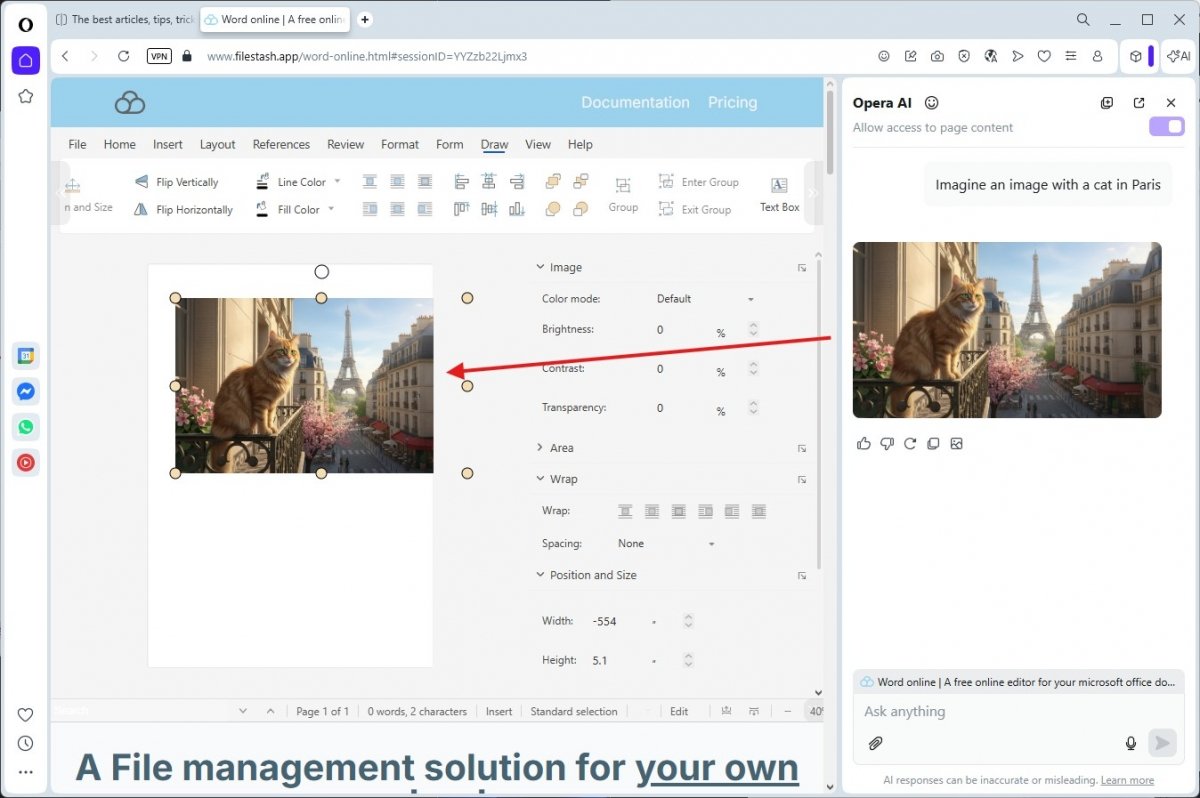 Having a chatbot in the sidebar capable of generating images is great for some workflows
We have been experimenting with the tool, and the quality is quite good, far superior to what we expected from a built-in feature. It is likely to use a state-of-the-art model, possibly something similar to Nano Banana or the latest versions of ChatGPT Images, given the accuracy of the results. Furthermore, it is very, very fast.
This is great for illustrating a Google or Word document online without having to leave the tab to search image banks. Another bonus is that, according to our tests, it did not ask us to log in to start creating, which greatly speeds up the process.
New media player with modular design
Consuming multimedia content while browsing is a universal habit, and Opera has redesigned its player to make it more useful and less intrusive. The new media player stands out for its modular design and integrations.
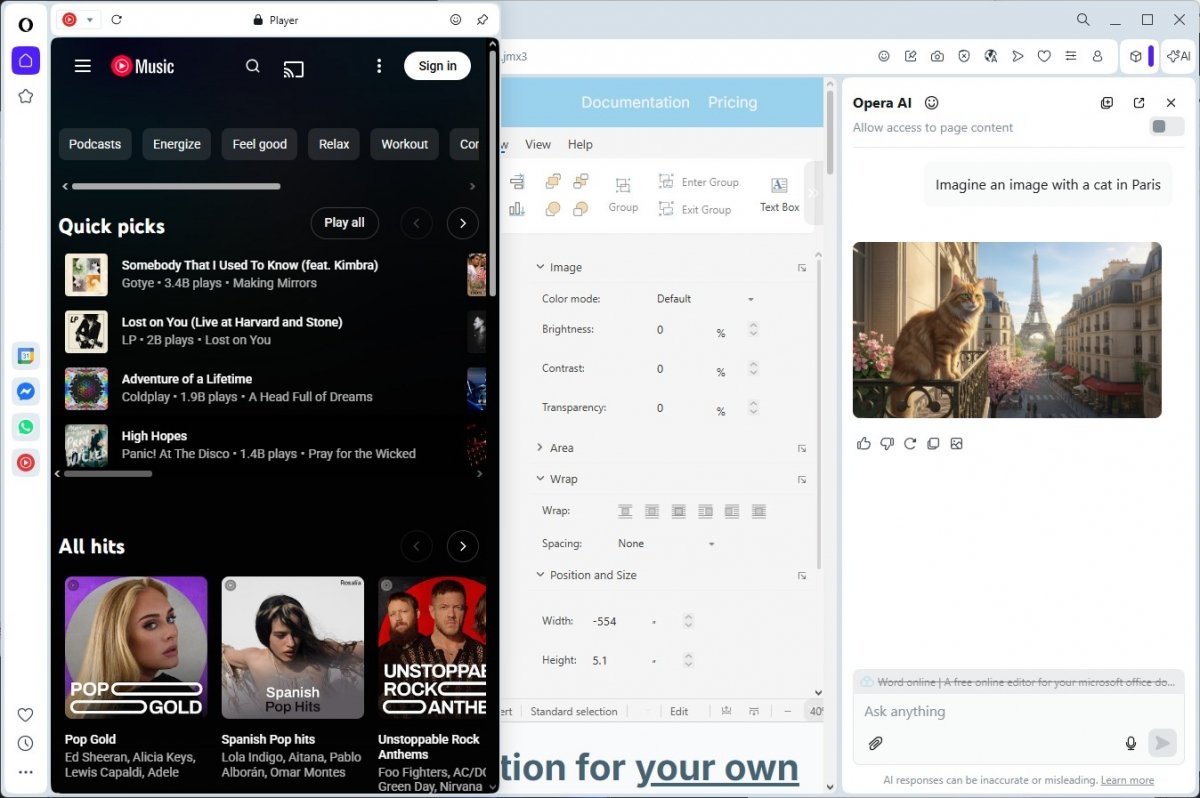 Your music always with you in Opera One, without any additional apps
This tool lets you connect to multiple streaming services simultaneously, integrating seamlessly into the browser interface. This makes it much easier to control playback on Spotify, Apple Music, or YouTube Music without having to search desperately for the tab where you left the music playing. As it is a floating module accessible from the sidebar, you have complete control, and it does not interfere with reading or working in the main window.
Conclusion: Opera One R3 is one of the most ambitious browser updates ever
After thoroughly analyzing all the new features, the conclusion is clear: Opera One R3 is one of the most ambitious updates we have seen in the browser landscape in recent years. It is not just about adding a couple of new buttons, but rethinking how users interact with the web. The combination of split-screen with accessible and fast image-generating AI turns the browser into a complete productivity suite, eliminating the need for third-party extensions for basic tasks.
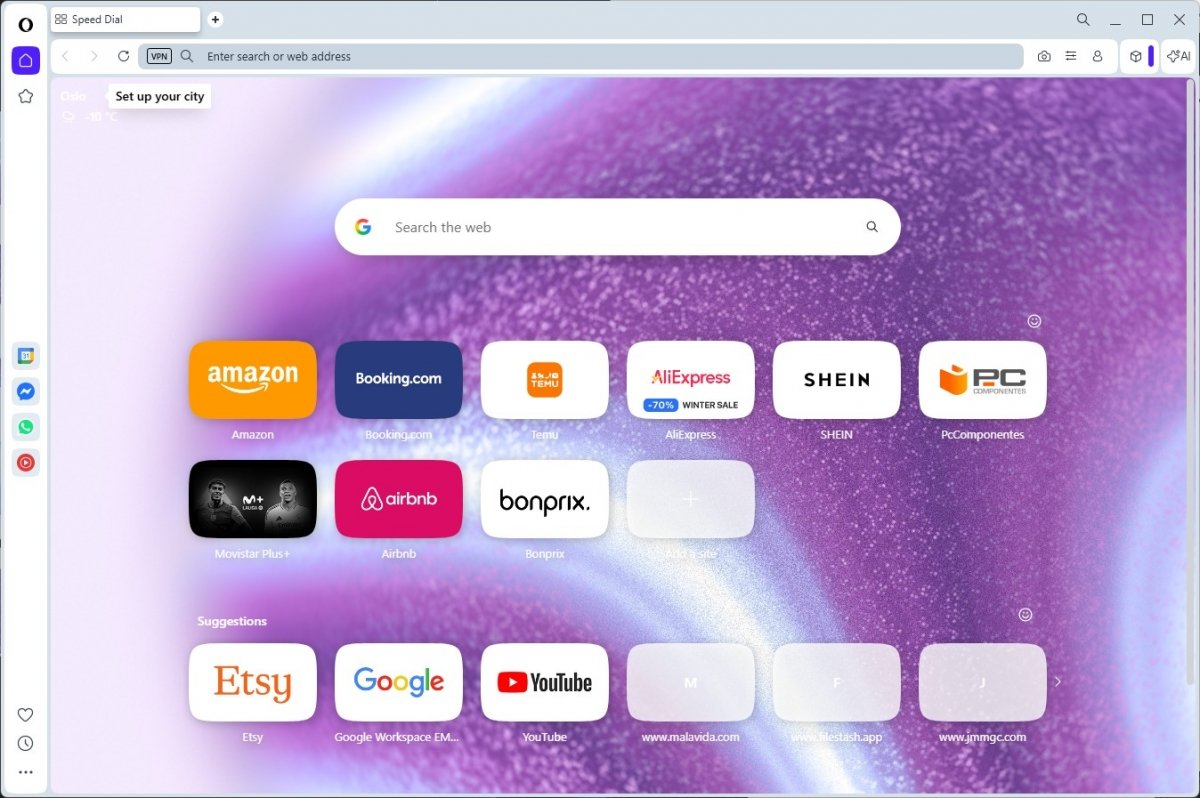 Opera One was already a great browser, but now it's even better
However, the real value of R3 lies in how these new features integrate with what already made this browser great. Let's not forget that all these new features are added to a package that already includes a free and unlimited VPN, a highly efficient native ad blocker, and the Flow system for instant file and link synchronization between mobile and desktop devices.
It is this combination of factors that makes the difference. While other browsers force you to install add-ons to get a decent sidebar or forced dark mode, Opera gives you everything right out of the box. If you are looking for a tool that can keep up with an intense, multitasking work pace, this evolution more than justifies the change.
And you, do you think these AI and split-screen features would help you get organized better, or do you prefer a more traditional browser? Let us know what you think in the comments! Try the new Opera One R3 update now and share your experience with us.
