



Microsoft's task planner for Android
Microsoft Office is the office suite par excellence because it has known how to remain at the avant-garde of innovation when it comes to these kinds of tools. To such an extent that it has been incorporated as a usual tool to plenty of work and study spaces. And what has precisely helped it to become immersed in these fields is the fact that over the last years, it has implemented collaborative work functions, making it easier to share documents between the members of the same team, increasing their productivity. Microsoft Planner APK is part of this suite, playing an essential role in structuring and organizing teamwork. And yes, you can download Microsoft Planner Android for free.
Microsoft's work planner
And to coordinate and manage tasks with different Office tools, Microsoft has just launched the mobile version of Microsoft Planner APK, the Android app with which you can direct and organize all your teamwork: assign tasks, share files, chat and exchange messages, follow its evolution...
The app that unifies the communication regarding different work tasks.
It's a tool designed exclusively for Office 365, the online office suite. Its main features and functions are the following:
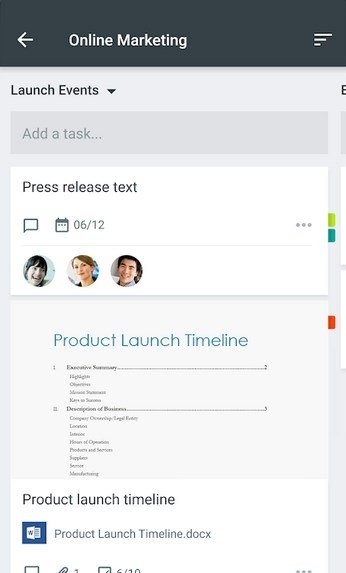
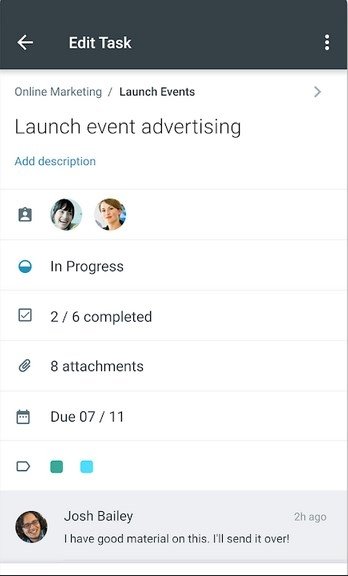
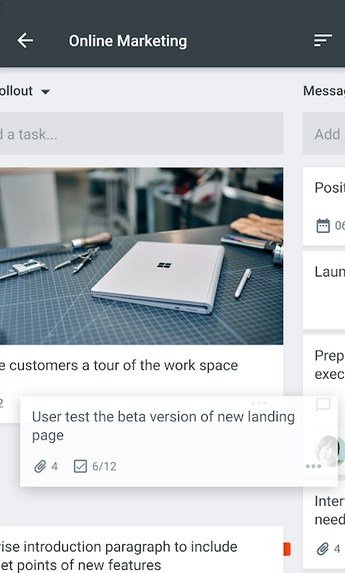
- Organize your work visually with different panels for each plan and where you can organize tasks into buckets. These tasks can be sorted according to their status or the user that has been assigned to the latter.
- My Tasks provides a complete view of all the tasks and the status of the plans. Users always know what other members of the team are working on.
- As it's integrated into Office 365 (Excel, Word, PowerPoint, Access...) each conversation is held over the task in question without having to switch between applications.
- Planner syncs with all your devices.
Enhancing and improving communications in professional environments
Precisely, communication within workspaces and productivity enhancement is one of the aspects that the majority of important technological companies are trying to approach. With this application, Microsoft intends to improve the integration and simplify the workflow between its own apps. All in all, its users don't resort to third-party software of the likes of Slack or Trello and just remain inside the Microsoft environment.
However, don't forget that although you can download Microsoft Planner Android for free, you're going to need a professional or educational Office 365 license.
What's new in the latest version
- No changelog available.
Requirements and additional information:
- Minimum operating system requirements: Android 7.0.
 Elies Guzmán
With a degree in History, and later, in Documentation, I have over a decade of experience testing and writing about apps: reviews, guides, articles, news, tricks, and more. They have been countless, especially on Android, an operating system...

Antony Peel